

Clocks Go Back: Do Night Shift Workers Get Paid for the Extra Hour?
Night shift pay when the clocks go back depends on the employment contract. Hourly-paid staff with fixed start and finish times work an extra hour and should normally be paid for it, while salaried staff usually receive their normal pay. Whatever you decide, pay must stay at or above the National Minimum Wage, and hours must stay within working time limits.
This guide covers what changes on the night, how contract wording determines the outcome, the pay and working-time checks to make, and how to set up the rota and timesheets so payroll is right the first time. It applies every year, in October and in March.
What Happens to Night Shifts When the Clocks Go Back?
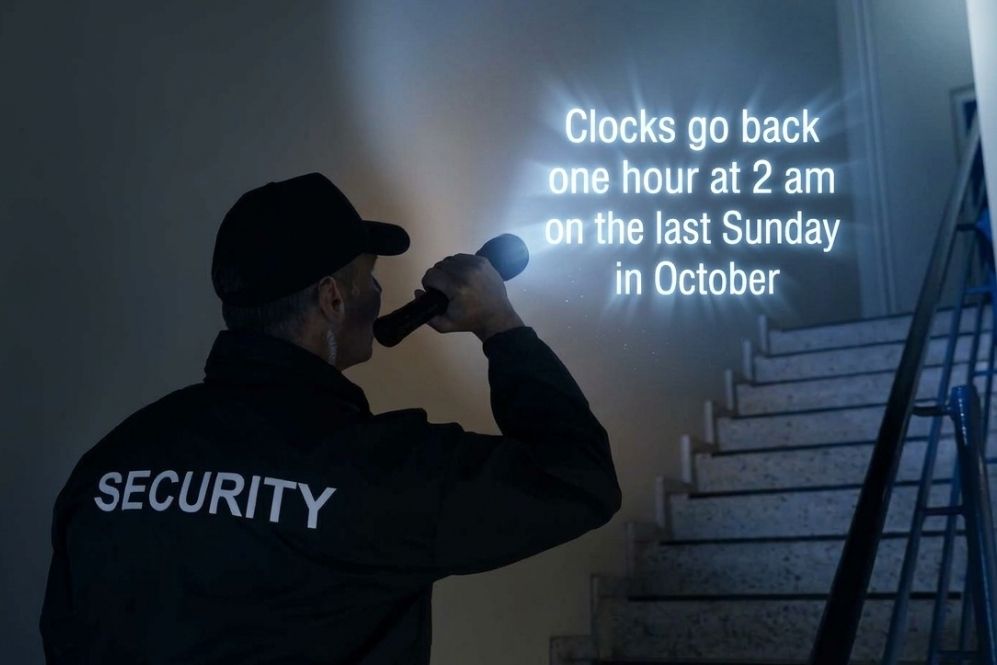
In the UK, the clocks go back one hour at 2am on the last Sunday in October and forward one hour at 1am on the last Sunday in March. Anyone working through 2am in October lives through the 1am to 2am hour twice, so a shift with fixed times runs an hour longer. In March, the same shift is an hour shorter.
You can check the exact dates for each year on GOV.UK’s clock change page.
The change only affects people on shift in the early hours of that Sunday, but in shift-based businesses, that can be a large group. It typically includes night teams in manufacturing, food production, warehousing and logistics, social care, and hospitality.
How Night Shift Pay Works When the Clocks Go Back
It depends on how the contract describes the shift and how the worker is paid. If the contract fixes start and finish times, the worker works an extra hour. Hourly-paid staff should normally be paid for that hour. Salaried staff usually receive their normal salary. Employers can choose to pay for the extra hour or let staff go home once they have worked their normal hours, whatever the contract says.
In practice, employers usually take one of three approaches:
- Pay the extra hour: the worker stays until the usual finish time and is paid for 9 hours instead of 8, at the normal rate or the overtime rate, as the contract specifies.
- Finish an hour early: the worker leaves after completing their normal number of hours, so pay and hours remain unchanged.
- Treat it as overtime: where the extra hour takes someone over their contracted hours, it is authorised and paid under your overtime policy.
Whichever you choose, apply it consistently across the same group of workers and tell staff in advance. Inconsistent treatment on the night is what usually leads to disputes later.
Fixed Times or Fixed Hours: Why Contract Wording Decides It
The wording of the shift in the contract decides whether the extra hour is worked. A contract that sets a start and finish time (for example, 10pm to 6am) means the shift lasts nine hours when the clocks go back. A contract that sets a number of hours means the shift ends when those hours are done.
Here is a worked example with two night operatives on the same site:
- Operative A, contracted 10pm to 6am: clocks in at 10pm and out at 6am. Because 1am to 2am happens twice, they have worked nine hours. In March, the same shift is seven hours.
- Operative B, contracted for an eight-hour shift starting at 10pm, has completed eight hours by the new time at 5 am and can finish. If they stay until 6am, the extra hour should be treated as additional time worked. In March, eight hours takes them to 7am.
If your contracts are vague on this point, decide your approach before the night rather than on the night, and consider clarifying the wording at the next contract review.
Can the Extra Hour Take Pay Below the National Minimum Wage?
Yes, it can. The National Minimum Wage applies to night workers, and there is no separate higher rate for night work. For staff paid by the hour or a fixed amount per shift, every hour worked counts, so an unpaid extra hour lowers their average hourly pay for that pay period. For staff paid at or close to the minimum, this can result in pay below the legal rate.
Salaried staff are treated differently. Their minimum wage check is based on the basic hours set for the year, so a single extra hour rarely causes a problem on its own, but extra hours beyond those basic hours do need to be counted.
Minimum wage compliance is checked across each pay reference period, which is the period a worker is paid for. Letting someone leave an hour early in March does not correct a shortfall in an October pay period, and the person who works the extra hour in autumn may not be on nights in spring anyway. GOV.UK explains how this works in its guidance on calculating the minimum wage.
Working Time Rules for Night Workers
Night workers must not work more than an average of eight hours in each 24-hour period, usually averaged over 17 weeks. A single nine-hour night will not normally break that average on its own, but it counts towards it, and regular overtime is included in the calculation.
Three points need extra attention around the clock change:
- Absolute limits for hazardous or demanding work: night workers whose work involves special hazards or heavy physical or mental strain cannot work more than eight hours in any 24-hour period. A nine-hour night would breach this, so plan a handover or an earlier finish for those roles.
- Rest breaks and daily rest: workers are entitled to a 20-minute break if they work more than six hours, and 11 hours’ rest between working days. Check that a later finish does not eat into the rest before someone’s next shift.
- Records: employers must keep records of night workers’ hours to show that the limits are being met. The actual hours worked on the night of the change should be in those records.
The detail is set out on GOV.UK’s guidance on night working hours and rest breaks at work. For other seasonal pressures on shift teams, see our guide to the UK legal temperature to work in.

How to Set Up the Rota and Timesheet for the Clock Change
The simplest way to avoid manual fixes is to plan the night in the rota a week or two ahead and review the timesheets before they reach payroll. Work through these steps:
- Identify who is affected. Pull a list of everyone rostered across the early hours of that Sunday, including agency and bank staff.
- Check each contract. Note whether the shift is defined by fixed times or a number of hours, and whether the worker is hourly-paid or salaried.
- Decide your approach. Pay the extra hour, finish early or treat it as overtime, and apply the same rule to everyone in the same position.
- Adjust the rota. Set the finish time or shift length for that night so the rota shows what you actually expect people to work.
- Brief staff in advance. Remind night teams and anyone starting early on Sunday morning, so nobody arrives an hour early in October or an hour late in March.
- Check working time and rest. Look again at roles with absolute night limits and at anyone whose next shift starts soon after.
- Review timesheets before approval. Shifts that cross the change can show unexpected durations. Check clock-in and clock-out times against the hours actually worked, and correct any discrepancies.
- Brief payroll. Confirm who worked the extra hour, any overtime authorised, and the decision you applied, then run a minimum wage check on the affected pay periods.
Keep a short note of what you decided and why. It makes the next clock change quicker and gives you a record if anyone queries their pay.
What Changes When the Clocks Go Forward?
When the clocks go forward in March, night staff on fixed-time shifts work an hour less. Salaried staff normally receive their usual pay. For hourly-paid staff, the contract decides whether the lost hour is paid. Many employers choose to pay the scheduled shift so take-home pay does not drop.
The minimum wage and working time risks are lower in spring, because hours fall rather than rise. The main practical issue is attendance: staff who forget the change may arrive an hour late for an early Sunday start, so the same advance reminder applies.
How Time and Attendance Software Helps With Clock Changes
Time and attendance software records when people actually clock in and out, so you pay for hours worked rather than hours rostered. That matters most on nights like this one, when the rota and reality can differ by an hour.
With Focus, the time and attendance software from Egress Systems, the steps above sit in one system:
- Rotas: electronic rostering built from shift rules, so you can see who is on across the change and adjust that night’s shifts.
- Timesheets: timesheet management that flags exceptions for review, with approval and locking before records go to payroll.
- Overtime: overtime tracking so extra time is authorised before it is paid.
- Compliance: working time reporting to check night limits and rest periods.
- Communication: reminders to staff through the Focus employee self-service app.
FAQs
Can an Employer Make You Work an Extra Hour When the Clocks Go Back?
If the contract sets fixed start and finish times, the shift naturally runs an hour longer, and the worker is expected to work it, subject to working time limits. If the contract sets a number of hours, the employer should not assume the worker will stay for the extra hour.
Does the Extra Hour Count as Overtime?
It can. If the extra hour takes someone over their contracted hours, it is usually handled under the overtime terms in their contract. For night workers, regular overtime also counts towards the average eight-hour limit.
Is There a Higher Minimum Wage for Night Work?
No. The National Minimum Wage applies to night workers, but there is no separate night rate. Any night premium is determined by the employer’s own pay terms or a collective agreement.
Do I Need to Do Anything Different Each Year?
The rules stay the same, but the people on shift change. Check who is rostered across the change each time, confirm their contract terms and pay basis, and review the timesheets for that night before payroll runs.
This guide is general information, not legal advice. For decisions on individual contracts, take advice from an employment law specialist or Acas.
Egress Systems has supplied time and attendance systems to UK businesses since 2003. If you would like to see how Focus handles rotas, timesheets, and overtime for night-shift teams, talk to our team about time and attendance.

Zoë Mouter is the joint owner and director of Egress Systems, a leading provider of time and attendance solutions. With two decades of experience in the workforce management sector, Zoë collaborates with HR, payroll, and IT experts to deliver tailored solutions across a diverse range of industries, including logistics, manufacturing, retail, hospitality, education, charities, waste management, and healthcare.
Before founding Egress Systems, Zoë honed her skills over 10 years as an IT professional at global data and technology companies Experian and Egg. During this time, she worked with multinational clients such as MBNA, Morgan Stanley, and Argos, specialising in the credit card processing sector.
Zoë holds a first-class degree in English Language and Literature from Liverpool University, alongside a Masters in Viking Studies and a TEFLA certification (Teaching English as a Foreign Language to Adults). While her focus has shifted from Viking history to Nordic walking, she enjoys expressing her creativity through ceramics, often crafting unique tea and coffee pots on her pottery wheel.